
Searching Cases by Name
Begin at MiCOURT Case Search. Accept the public-information terms. Then pick the Monroe County court or court group in the court selector. The name panel asks for a Last Name or Business entry. First Name, Middle Name, and Birth Year stay optional. A business name often narrows results better than a common personal name does. Whatever comes back, check each Monroe County result carefully. Match it against the court, case type, and dates shown on screen before you trust it.
- Select the Monroe County court that matches the case you are trying to locate.
- Enter the required last name or business name in the Monroe County search panel.
- Add a first name, middle name, or birth year only when it is available and appropriate for the Monroe County search.
- Read each Monroe County public result for its court code, case type, status, and dates before treating it as a match.
| MiCOURT field | Type | Required | Use |
|---|---|---|---|
| Last Name or Business | Text | Yes | The required entry on the Monroe County public name panel. |
| First Name | Text | No | Optional detail for narrowing a Monroe County name result. |
| Middle Name | Text | No | Optional detail where a Monroe County displayed result needs distinction. |
| Birth Year | Year | No | Optional Monroe County public search field, not a substitute for court verification. |
Choosing a Monroe County Court for Case Search
Pick the court first, then type the name. That simple order makes a Monroe County case search far more accurate. The 1st District Court, code D01, takes traffic and civil infractions, misdemeanors, felony preliminary examinations, small claims, and other district matters. The 38th Circuit Court, code C38, handles general civil actions over $25,000, felony trial-level work, Family Division cases, and appeals from district court. Probate matters, code P58, belong to Monroe County Probate Court: estates, wills, guardianships, conservatorships, and the like.
Not sure which one you need? The Monroe County D01 page and Monroe County C38 page help you route the case correctly. One caution applies. A single court code will not capture every stage of a Monroe County case, because a preliminary examination can sit in D01 while the felony trial-level case moves to C38.
Searching by Case Number
Have the court-assigned identifier handy? Use the Monroe County Case Number panel. MiCOURT asks for three parts: Year, Number, and Type. Copy each piece exactly. Take it as it appears on a Monroe County citation, a court notice, an earlier result, or a clerk's message. The court codes C38, D01, and P58 matter for court selection and reporting. But the number search itself goes into the local form the screen wants: Year-Number-Type. Type choices and exact formatting shift depending on the court chosen.
A case number beats a name as a starting point in Monroe County. Still, it does not convert a public result into an official record. When you call the clerk, keep the court code and the full number together. The same goes for a records request.
Monroe County Case Search Fields and Filters
Once a Monroe County case search returns results, the public screen may offer Show and Clear controls. Filters may also appear, and they change with the court you picked. Depending on the context, controls for category, status, year, judge, amount, date, license, or vehicle can appear. Apply a filter only when it is visible. It should also plainly fit the current Monroe County screen and the court selected. Technical documentation lists extra fields. Those Monroe County system fields do not promise that every control is open to a public user.
Case status is a Monroe County system state such as open, closed, disposed, deferred, or mediation. Filing date marks when the Monroe County case or filing was entered, and it may differ from an event date. Modified date is a Monroe County system update date, not automatically the date of a ruling.
What a Case Search Returns
A Monroe County case search through MiCOURT gives you public register information. That is not the same as seeing every court document. What shows up depends on the court and the case category. One result may list a case number, party labels, case type, and status. Another adds filing, creation, or modified dates. Charge details, the judge or magistrate, and next-hearing information may show up too. Treat a Monroe County calendar entry as nothing more than a scheduled court date. It says nothing about how the case ends. Trust only the wording the court actually displays.
| Court and case number | Identifies the selected Monroe County court and public register entry; retain both for a clerk request. |
|---|---|
| Case type and status | Describes the Monroe County court classification and public system state, not a legal conclusion beyond the displayed label. |
| Parties and roles | May identify Monroe County labels such as plaintiff, defendant, petitioner, respondent, or prosecution when public. |
| Dates and events | May include Monroe County filing, creation, modified, or scheduled-hearing information as the court exposes it. |
| Disposition information | May appear in a Monroe County result when public; quote the displayed text rather than converting it into a different conclusion. |
Monroe County Case Search Is a Register, Not the Official Record
The MiCOURT entry screen and terms call the Monroe County information informational. They tell users to go to the court itself for official or older records. The 2025 Monroe County joint access order draws the same line. It treats the publicly available register of actions as one thing. Other Monroe County public case-record information is something a person may request electronically. So a search result helps you figure out what to ask for. It is not a certified copy. And it does not promise that every filing in the Monroe County court docket is online.
Open the MiCOURT public search entry. It shows the Monroe County public-search environment where the first lookup begins.
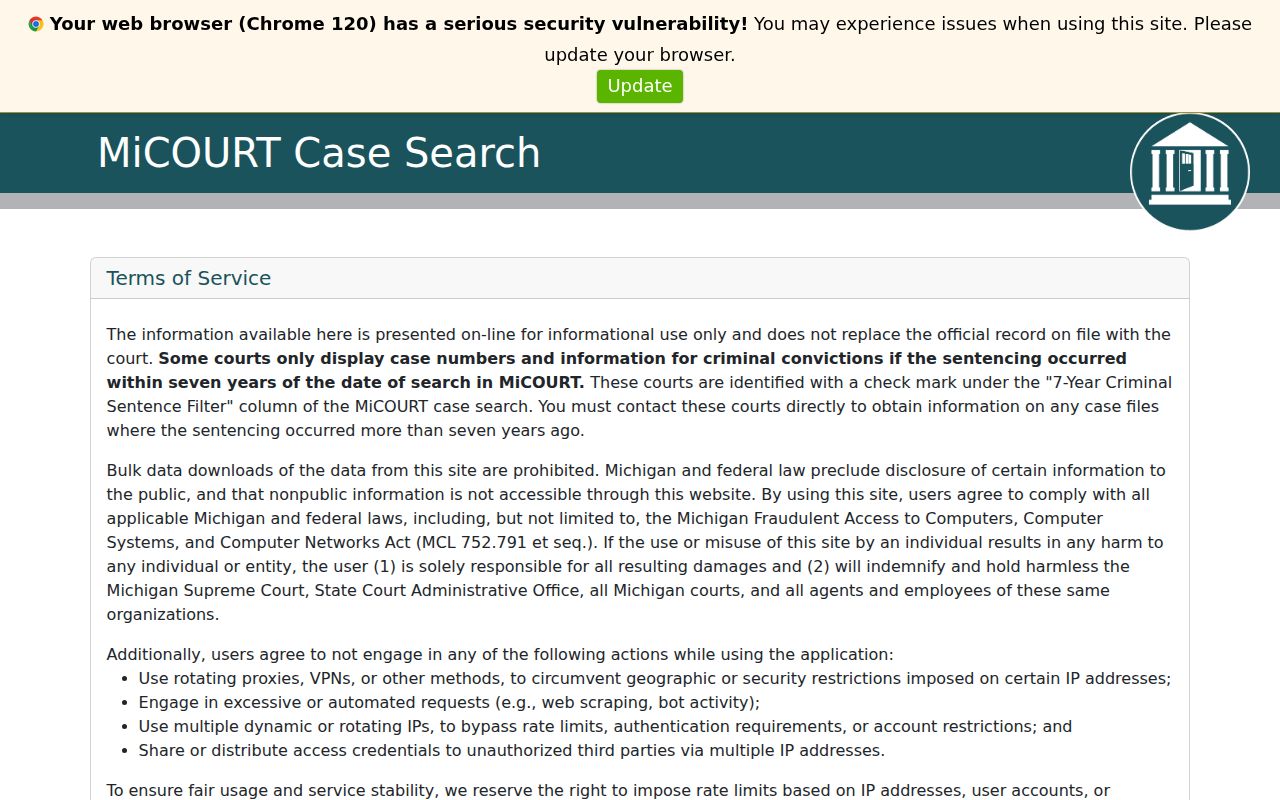
Let the search point you toward a likely Monroe County case. From there, the responsible Monroe County clerk handles inspection, copies, certification, and anything missing from the register.
Statewide vs County Case Search
MiCOURT is Michigan's statewide public case-search layer. Even so, a Monroe County case search still comes down to picking an available court. Then you read that court's public results. There is no separate verified countywide case-search database for C38 and D01. For Monroe County Probate, the county points to CourtView Public Access. That probate portal is not always reachable. If it is down, call Probate Court at 734-240-7346 or email probateclerks@monroemi.org for current access instructions.
| Channel | Best use | Limit |
|---|---|---|
| MiCOURT Case Search | Monroe County public register information for a selected participating Michigan court. | Informational Monroe County result, not the official file or a guarantee of every case or document. |
| Monroe County clerk | Inspection, copies, certified copies, older information, and routing by Monroe County court code. | Monroe County request procedures, public limits, and fees apply. |
| Probate Court Public Access | Monroe County-linked probate public-access route when it is operating. | No Monroe County public field inventory was verified during the outage. |
Monroe County Case Search Copy and Clerk Requests
A public Monroe County result may name the case. Yet it can leave you without the document you need. That is when a copy request goes to the clerk who holds the original C38, D01, or P58 record. The county's joint request form takes a full case number or party names. Then it asks one simple thing: review the file, or order copies? Its court-use line prices copies at $1 per page. Fees can change. The online search does not spell out every copying or certification charge. Before you pay anything, confirm the current fee and availability with the Monroe County clerk responsible for that record.
MiCOURT Replaced COLLECT in Monroe County Case Search
Old Michigan district materials still mention COLLECT. That application no longer describes how Monroe County public searching works. Today MiCOURT is the public search and court-display environment. MiFILE handles electronic filing for participating court types. FivePoint serves a third role as a D01 payment channel. Keep the three straight. A filing or payment workflow is not a public docket search. An old COLLECT reference is not a current search instruction. One more wrinkle matters for attorneys. The county reports that Monroe County D01 attorneys must use MiFILE for listed civil filings since June 12, 2025. That mandate changes how papers get filed, not what the public can find. It adds no document search inside MiFILE.
Access and Restricted Cases
Not everything shows up in public search. MiCOURT excludes adoption, juvenile and child-protective matters, juvenile guardianships, mental-illness matters, name changes, parental waivers, PPOs, wills, ERPOs, infectious-disease matters, and young-adult foster-care matters. Some criminal sentence information is limited to seven years in the public search. So a missing result can mean many things. It could be a restricted category, a sealed or suppressed record, an older record, a name variation, an indexing delay, or simply the wrong court selected. Court rules draw these lines. MCR 8.119 governs public access to court records and sealing. MCR 1.109 protects specified personal identifying information in filings. Juvenile records carry separate limits under MCL 712A.28. A Monroe County case search cannot sidestep a restriction. Michigan FOIA, meanwhile, is not the route for a state-court case record.
Monroe County Case Search No-Result Checks
A blank Monroe County case search is not the end of the road. Run the search again with the likely court code and a name variation first. Then consider the nature of the matter. It may be probate, Family Division, juvenile, sealed, or federal rather than an ordinary public D01 or C38 result. For a scheduled event, turn to MiCOURT Court Display. It shows Party Name, Time, Room, and Case Number. An empty date there does not prove no case exists.
When a result matters: Contact the clerk that holds the original record. The Monroe joint request form accepts a complete case number and/or party names and lets the requester choose file review or copies.
Monroe County Case Search and Federal PACER
Federal dockets sit outside any Monroe County case search. Monroe-related federal cases belong to the U.S. District Court for the Eastern District of Michigan, and you search them through PACER, not MiCOURT. Bankruptcy records run through the same federal court system. Michigan Court of Appeals matters are also distinct from a D01, C38, or P58 public register result. Identify the originating court before picking a search system.
Monroe County Case Search Limits on Bulk Downloads
MiCOURT's terms forbid bulk downloading. Search case by case. Use the clerk's request process when you need a defined case or document rather than automated collection. Monroe County offers no public bulk-access channel for its court records. The limit is a useful reminder of the difference between a public register and the clerk-held record. The register helps you locate a matter. The clerk-held record stays governed by court rules, local access procedures, copying charges, and confidentiality restrictions.